
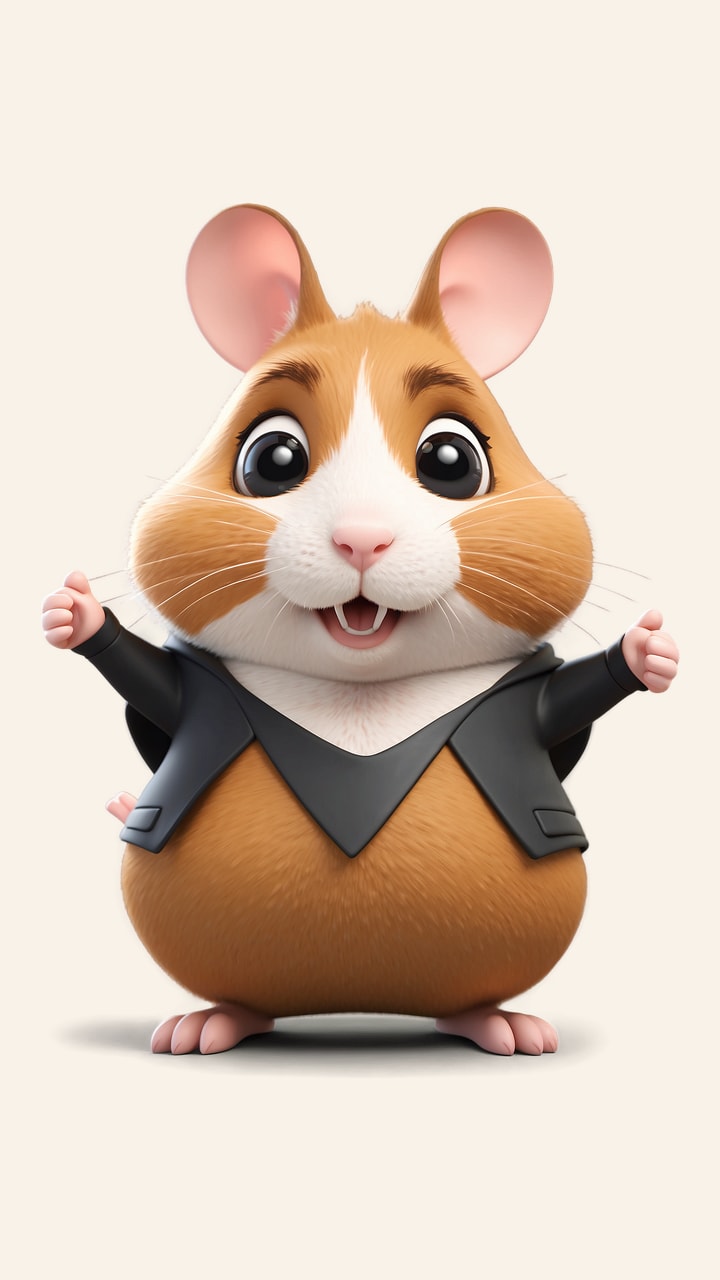
A tiny dancer from a single photo
The AI Hamster Dance Generator turns one clear hamster photograph into a fifteen-second vertical animation. You provide the image; the tool supplies the dance instructions, keeps the same animal in frame and returns an MP4 you can review before sharing. It suits playful pet clips, birthday messages and short social posts where a small subject can carry the scene.
The AI Hamster Dance Generator is a single-effect studio rather than a general video editor. There are no prompt fields, aspect-ratio menus or duration choices to work through. Upload a photo, confirm the crop, review the credit quote and generate. For other subjects or a wider set of controls, start from the Agnes Video Generator home page.
Choose a photo with a visible head, body and paws
The AI Hamster Dance Generator reads posture, fur pattern and lighting from your upload, so the source image matters more than any setting. A single hamster in soft, even light gives the clearest starting point. Keep the head, body and all four paws visible, and avoid cages, bedding piles or hands that obscure the animal. Distinctive markings, such as a pale belly or a dark stripe, help the animation hold onto the hamster’s identity.
JPEG, PNG and WebP files up to 10 MB are accepted. A sharp phone photo is usually enough; a heavily cropped screenshot or a picture taken through mesh will leave the model guessing. This is an animation tool, not a photo restorer. If the source is blurry, the output will inherit that softness.
Frame the vertical shot
Before submission, a crop dialog asks you to place the hamster inside a 9:16 frame. Leave a little room above the ears and around the paws: the imagined routine includes side steps, a head bob and a small turn, and the body needs space to move without leaving the shot. Confirm the crop only when the whole animal is still recognizable.
The AI Hamster Dance Generator always returns a vertical 9:16 clip. You cannot request landscape, square or a different duration on this page. That constraint keeps the workflow short, but it also means the composition is decided at upload rather than after generation.
What the AI Hamster Dance Generator asks for
The template asks for a gentle, fictional routine: the hamster rises onto its hind feet, takes small alternating side steps, bobs its head, waves its front paws, turns once and settles into a relaxed pose. It also tells the model to preserve fur colors, round ears, whiskers and facial markings, and to keep one animal with consistent anatomy throughout.
Those directions are creative guidance, not choreography the model must reproduce frame for frame. Paws, whiskers and background details can shift. Watch the clip once for anatomy and once for the overall mood before you publish it. If a result looks wrong, describe it as an AI animation rather than presenting it as real animal behavior.
The reference clip is a visual benchmark
The AI Hamster Dance Generator shows a Before and After section that pairs a black-jacket cartoon hamster portrait with a fifteen-second 2D photo animation on a warm theater stage. The demonstration uses local compositing and an authorized reference soundtrack; it was not generated with this tool, and it is not submitted to the model.
Treat it as a reference for framing, pacing and the kind of motion the template aims for. Your own result will start from your photo and may look quite different. The page does not promise to reproduce the reference clip’s choreography, outfit or soundtrack.
Price, credits and submission
The AI Hamster Dance Generator costs 600 credits for one complete fifteen-second video, loaded from the live service quote before you submit. You need an account and enough eligible credits; free previews and anonymous tasks are not available for this effect. Buying a credit pack does not start a generation, and the studio shows the current total before it accepts the request.
Credits are reserved when the task is created and settled once when generation succeeds. A confirmed failure releases the reservation once. If the provider’s response is uncertain, the AI Hamster Dance Generator keeps the request pending for reconciliation instead of creating a second paid job. Review the displayed quote each time rather than relying on an earlier screenshot.
Follow the queue, then download
Accepted requests enter a persistent queue, so you can close the tab and return through project history. The studio shows queued and processing states while the work advances. Completion time depends on provider demand, and the page does not promise an exact deadline.
The AI Hamster Dance Generator includes the finished MP4 download with a successful paid generation; there is no second charge for downloading. The file is vertical and suited to short-video feeds, though each platform may crop or recompress it. Check the platform preview before publishing, and add only music or sound effects you have the right to use. The tool does not include a license to any commercial song.
Motion limits and pet welfare
The result is fictional entertainment, not evidence that a real hamster performed a routine. Common artifacts include changing paws, flickering whiskers or an extra animal in the background. Inspect the clip before sharing and label it as AI-generated animation.
You do not need to handle, pose or disturb a real pet to use this page. A normal photo you already own is enough. The AI Hamster Dance Generator never asks an animal to stand or dance, and it cannot guarantee perfect anatomy or an identical identity across every frame.
Privacy and responsible sharing
Uploaded photos and finished clips use private storage with account ownership checks. Provider access to the input uses a temporary signed URL, and the AI Hamster Dance Generator does not publish your output into the public reference section. Use images you own or have permission to animate.
For account questions and the rest of the workflow, see the tool guide and pricing. The boundary statement below the article summarizes the main limits: fictional animal animation, no training of real animals, no reproduction of a copyrighted dance video and no guarantee of exact anatomy or choreography.